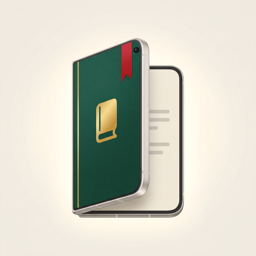
Your shelf
Every file becomes a book
Add a document and it lands on your shelf with its own cover. Open it again and you’re right where you left off.
- PDF, ePub (DRM-free), Word .docx, text, Markdown and saved web pages
- Add from Files, iCloud Drive, Safari or Mail — or photos bound into an album
- Separate shelves per class or project, and a spine view on a wooden shelf
- Lock private books with Face ID
Write
Write like it’s paper
Pick up a highlighter, a pen or the eraser and mark up any page. Your notes travel with the book.
- Highlighter, pens, eraser and ruler — finger or Apple Pencil
- Type anywhere, add photos, stickers and page notes
- Export a PDF with your markup to share with a teacher or colleague
- Notebooks in plain, lined, grid, dot and school paper, plus diary and Cornell templates
Study
Ask your book — on device
Get a summary, ask a question and see which page the answer came from, or turn a chapter into flashcards.
- Uses Apple Intelligence, or a free offline model you download once on other iPhones
- Everything runs on your device; your documents never leave it
- Search a book or your whole shelf, with or without accents
- Text recognition for photos and scans, read aloud, look up and translate
Cover Studio
A cover for every book
Cloth, kraft, leather, marbled, watercolor, night sky — 14 hand-made templates you can make your own.
- Change the color, choose from 7 typefaces, add an emblem or embossed lettering
- Use the first page or your own photo as cover art
- Share a “Reading now” card of what’s on your nightstand